
Mantle of Dreams Guide - The Most Exciting Self-Cast Unique in PoE 3.30
Discover how Mantle of Dreams transforms self-cast builds in PoE 3.30, with powerful Unleash synergies, creative setups, and massive damage potential.
This is the Path of Building Guide for freshmen, shared by the professional PoE Shop MmoGah. In this guide, I will show you how to install it, import/export with Pastebin, and so on.
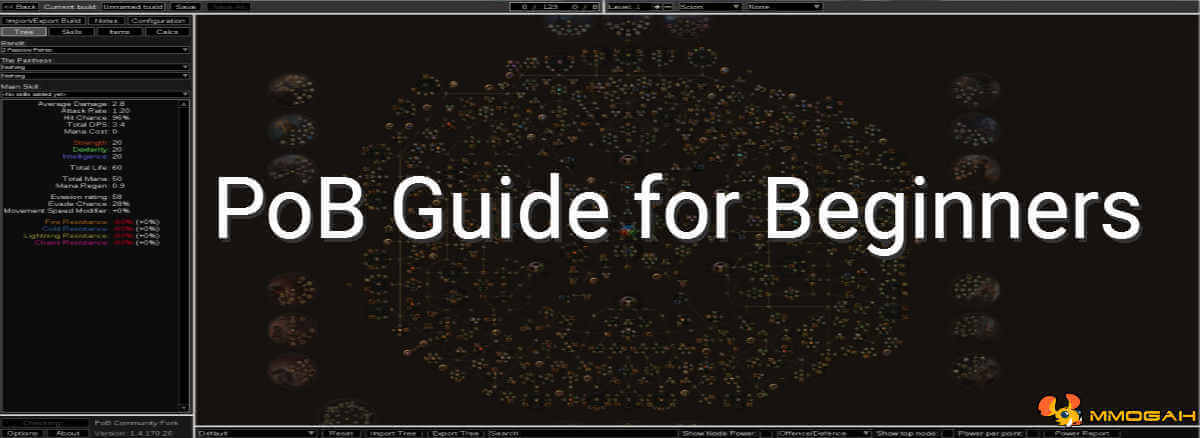
PoB is short for Path of Building, a useful tool for PoE builds. It is a third-party simulation and calculation program for any Path of Exile character. You can import characters, passive trees and PoE Items from the live service, or create and save your own builds without having to try them out in the game first. It also offers a huge database covering most items and their mods, so you can select and craft your items there.
This guide was written in 2021, so some details may have changed since.
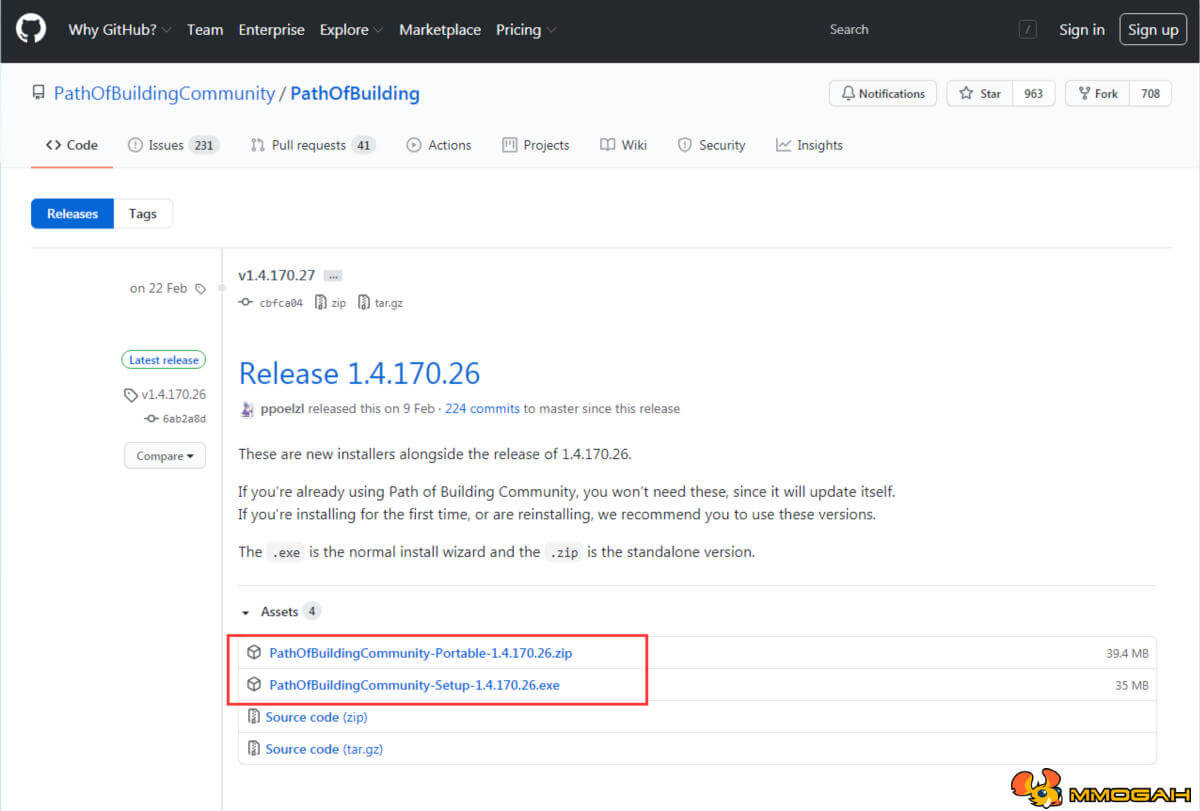
Download and install the program from the GitHub website: https://github.com/PathOfBuildingCommunity/PathOfBuilding/releases. Start it up. It might want to install some updates; just wait until that's done, and you're ready to go.
Now, if you're not already on the screen that shows the passive tree in the middle and says Unnamed Build at the top left, just press “New” at the top. You can now start experimenting with the classes, the tree, skills and items.
If you want to import a build from a Pastebin link, from the Pastebin itself or from the game, make sure to save your current build and create a new one. First, select Import/Export in the top left. There are now three ways to import a character:
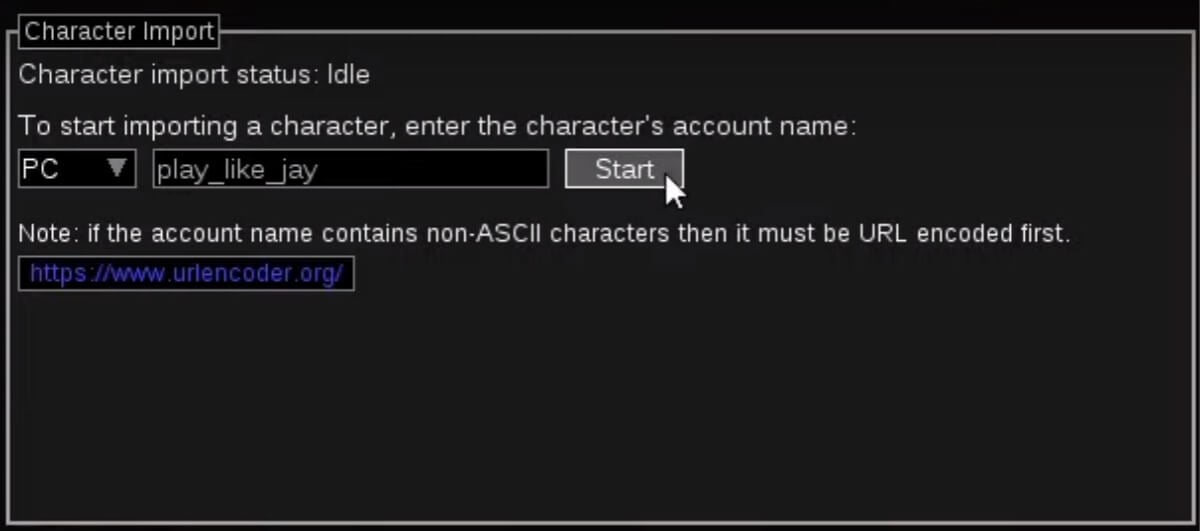
The first is to get it from an actual character in the game. For that, you need to know the character's account name. Press Start, select a character from the list and select which information you want to import.
The second and most common way is to import the character from a Pastebin link. You don't have to click the link wherever it is provided; just copy it. Then, in PoB, select Import from Pastebin, paste the link, click Import, and import again.
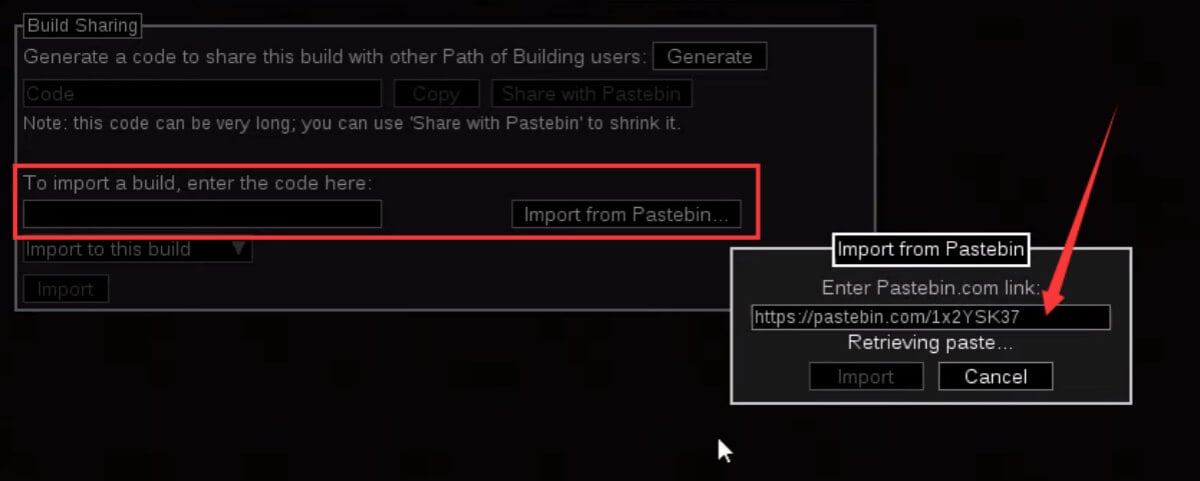
Tip: If the second way fails, there is a third way. Open the link in a browser and copy everything from the Pastebin. Go back to PoB, paste the code there, and import.
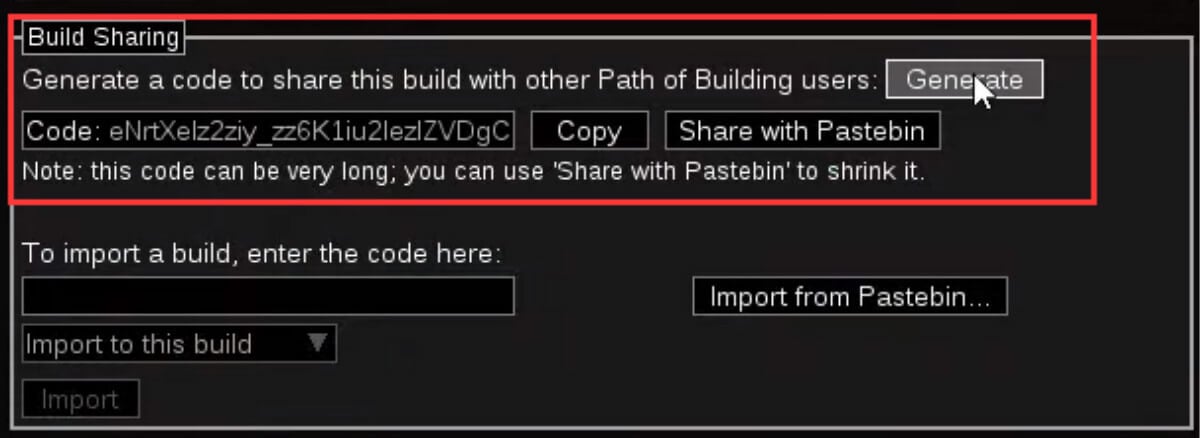
If you want to export your build to share it with other players or to save it for yourself, go to Import/Export again and click “Generate”. You can now either copy this extremely long code and send it to other players, which I only recommend if the Pastebin website is offline, or click Share with Pastebin to generate a link you can share.
Once you have a build loaded up, you can see the passive tree, skills, skill setups and items. Above the equipped items, you can manage Item Sets. Most players do not use this feature, but my builds sometimes have multiple setups with different gear for different use cases or game stages.

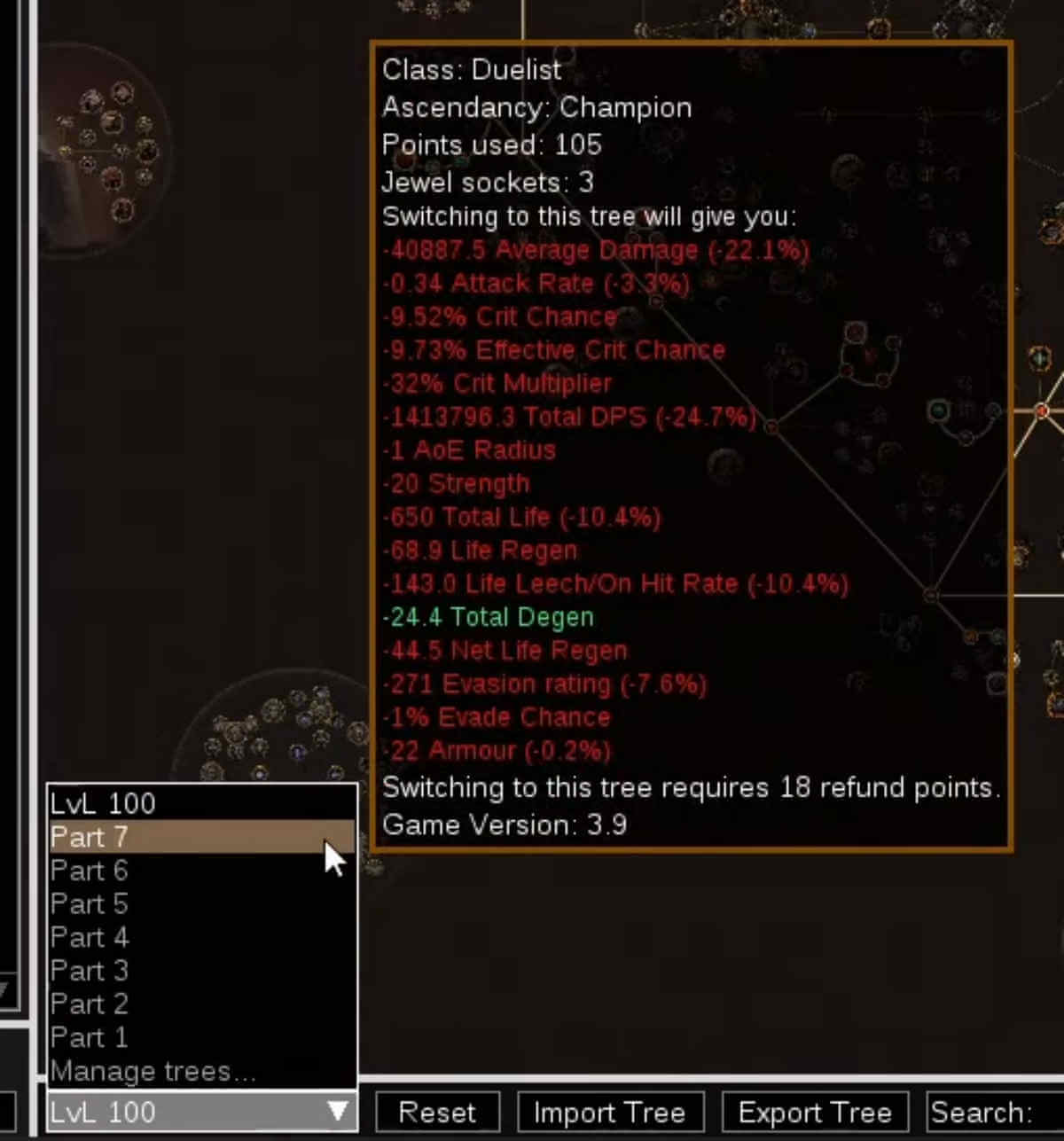
When looking at the tree, there is a drop-down menu at the bottom left where you can select different trees without changing the gear. I use it to show passive tree progression while leveling a character. It can also come in handy if you want to try different paths without having to copy the whole build again.
In the Skills window, you can find all active and passive skills with their links and where they are socketed. You can edit the labels to make notes or clarify something.

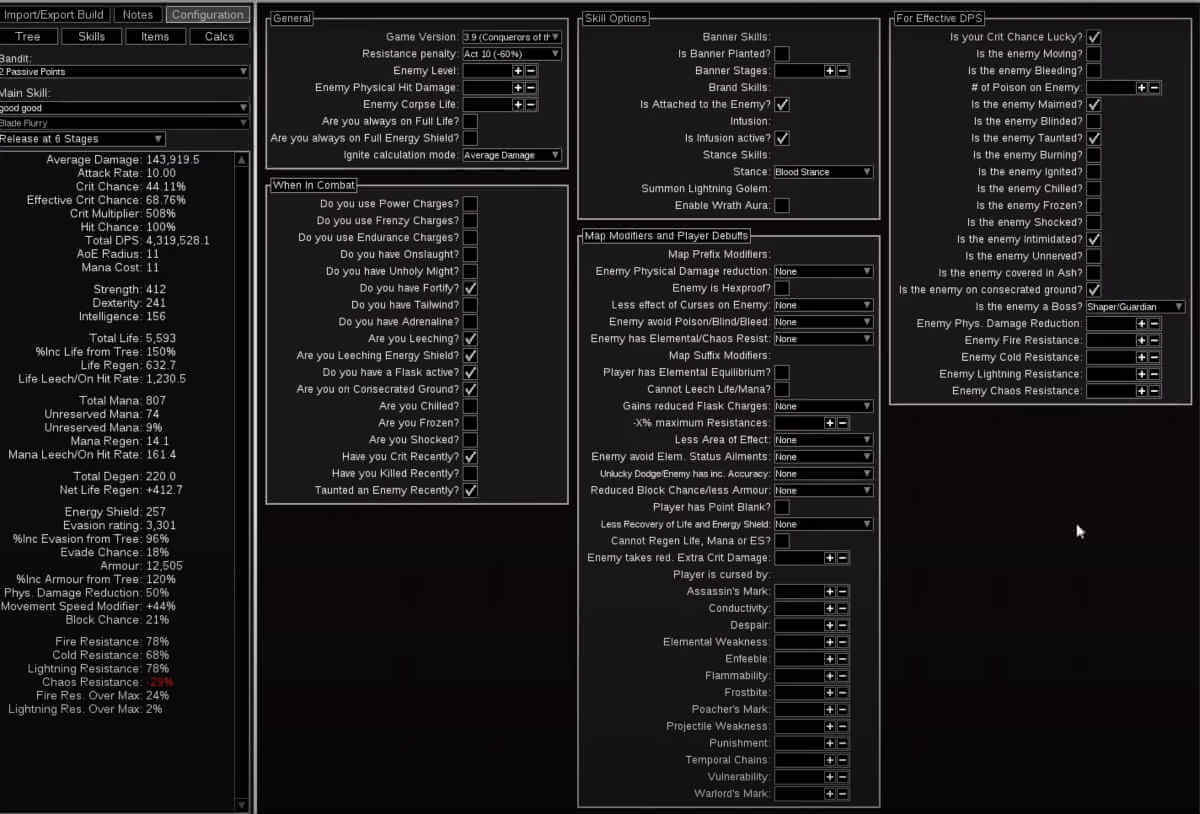
Something extremely important, and where many players experience difficulties, is the Configuration tab. If you import a build, this should all be set already, so don't change anything if you don't know exactly what it does or whether it reflects the actual in-game situation.
However, if you are doing your own builds as I do, I always select the parameters to show a bossing situation, meaning a single target with strong resistances. So, for example, I selected that the enemy is the Shaper or a guardian, and even though this build generates Frenzy Charges on kill, I do not select them, because I cannot generate them in an instance boss encounter without minions. Depending on what build you're playing, you might not want to showcase bossing but maybe a mapping situation. Since you have to set these configurations differently for every single build, or even every single passive or item you have, I will not go further into this.
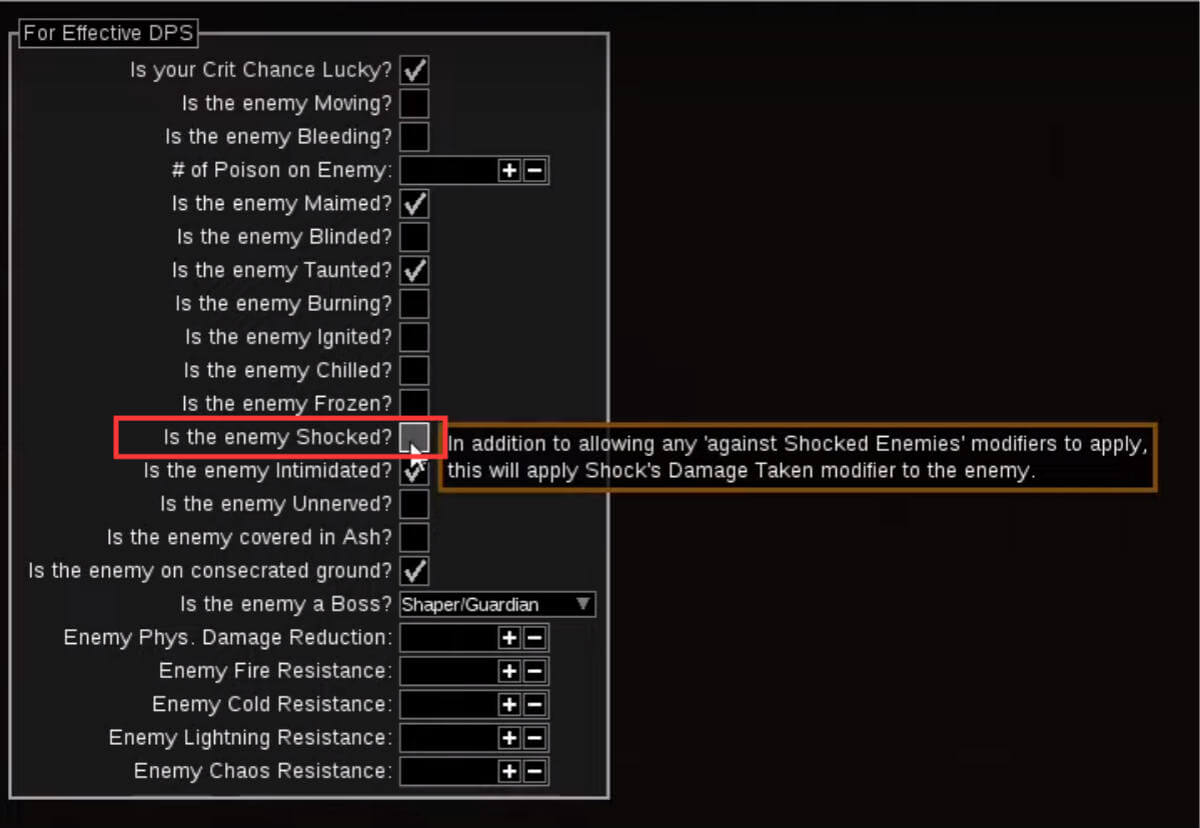
Just remember never to choose the “Enemy is Shocked” setting, because even if your build can shock an enemy, this will almost always calculate a wrong value. This leads me to the last thing I want to talk about in this guide.
The normal PoB has a lot of flaws, but there's a fork on GitHub, a kind of different version or add-on of PoB made by LocalIdentity, which improves it and adds a lot of highly requested features. Making use of it is extremely simple. You can watch Play Like Jay’s YouTube video to learn how to install and run the fork.
It will now, and in the future, download updates related to this fork. Once it's done downloading, which can take a minute, it'll tell you that an update is ready. Click on it and press Update. You will already be able to see differences when looking at the stats, but the biggest difference is that PoB now correctly calculates things like impale, shock or elusive.
An important thing to note here is that there are sometimes problems when trying to import a build made with the fork version of PoB into the original PoB. So if you're not sure whether the other person has the fork installed, you have to revert the changes made to the manifest.xml file. It will then install the normal PoB. Open the build in there and generate a new Pastebin. This is why I keep a copy of the original manifest file to quickly switch between PoBs.
Congratulations! You can now use the basic functions of Path of Building. You can come to MmoGah to view more helpful PoE Guides, and you can also buy Cheap and Safe Exalted Orbs and Chaos Orbs here. Last but not least, thanks to Jay for his useful guide on PoB.
Path of Building is a third-party simulation and calculation program for Path of Exile characters. You can import characters, passive trees and items, or create and save your own builds without trying them in the game first.
Save your current build, create a new one and select Import/Export in the top left. You can import from an in-game character by account name, from a Pastebin link, or by pasting the code from the Pastebin directly.
Go to Import/Export and click “Generate”. Then either copy the long code and send it, or click Share with Pastebin to generate a link.
No. Even if your build can shock an enemy, this setting will almost always calculate a wrong value.
The fork improves PoB and adds many highly requested features; the biggest difference is that it correctly calculates things like impale, shock and elusive. Builds made with it can sometimes fail to import into the original PoB.
Discover how Mantle of Dreams transforms self-cast builds in PoE 3.30, with powerful Unleash synergies, creative setups, and massive damage potential.

Before committing more PoE Currency to map preparation, understand which rewards your investment is meant to improve. A bigger number on your character sheet and a more profitable mapping session are separate things.

Learn how the Claw Card strategy, duplicate Fate Cards, and Empower mechanics can double your Viscera drops in Path of Exile 3.30.

In Path of Exile's 3.30 Covens of Umbra league, your build choice decides everything — whether you're a speed-farmer chasing raw PoE Currency per hour, or a hardcore raider lining up pinnacle boss kills. Below are five builds we've personally tested, iterated on, and confirmed clear the full endgame.