Final Fantasy XIV coming to the Nintendo Switch 2 is an exciting development for MMO fans. The game has been available on other platforms for years, but bringing such a large-scale MMORPG to Nintendo's new console raises an important question: How well does Final Fantasy 14 actually run on the Switch 2? Rather than reviewing the entire game, this guide, shared by Kneeckoh on his YouTube channel, focuses primarily on the Final Fantasy 14 Switch 2 version, including its graphics, frame rate, handheld performance, and mouse controls. Let’s dive in.
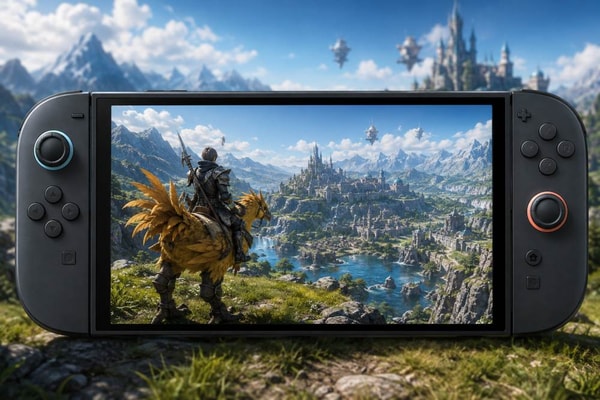
What Is Final Fantasy 14?
Final Fantasy XIV is a massively multiplayer online role-playing game where players create characters, explore a large online world, complete quests, and participate in content alongside other players. Although much of the game can be played solo, players can also experience a wide range of multiplayer and MMO activities, like dungeons and raids. The game combines traditional RPG progression with an online world populated by other players, making it one of the most established MMORPGs on the market.
Final Fantasy 14 Free Trial: A Great Way to Get Started
One of the biggest advantages of Final Fantasy 14 is its generous free trial. New players can experience three expansions through the free trial, with one of the major restrictions being a limit on how much FFXIV gil they can hold. The free trial does not impose a traditional playtime limit, meaning players can spend hundreds of hours exploring the available story and content without paying for the game.
This makes the free trial an excellent way to determine whether Final Fantasy 14 is the right MMORPG for you before committing to the full version. Once you purchase the full game, however, you will need a monthly subscription to continue playing. You also cannot return to the free-trial version after purchasing the full game. For players who are curious about Final Fantasy 14 on Nintendo Switch 2, starting with the free trial is therefore a particularly good option.
Graphics and Performance
The biggest surprise of the Switch 2 version is its overall performance. Before launch, the developer targeted 30 frames per second, particularly in areas with large numbers of players and demanding high-density content. However, the observed performance can go beyond that target, with the game appearing to run at an uncapped frame rate of approximately 30 to 60 FPS, depending on the location and activity. In areas with many players and objects on screen, performance generally falls into the 30–45 FPS range. In less crowded locations, such as caves or areas where the player is alone, the frame rate can climb significantly higher.
More importantly, the game maintains a relatively smooth feel even when the frame rate changes. The experience does not feel particularly choppy or stuttery, and the frame pacing appears consistent during normal gameplay.
How Does Final Fantasy 14 Look on Switch 2?
Visually, Final Fantasy 14 is not among the most technically impressive modern MMORPGs. The game has been around for a long time, and its graphics reflect that age. However, the Switch 2 version still looks very good. The game's art style remains attractive, while character models, enemies, environments, and different regions are presented convincingly. The overall graphical quality may not compete with newer high-end MMORPGs, but the presentation is more than sufficient for an enjoyable experience.
The Switch 2 hardware also handles demanding content surprisingly well. Even in higher-end raids where numerous effects, players, and activities can appear simultaneously, reported performance remains relatively stable, generally staying around the 30–45 FPS range rather than suffering from severe frame drops.
30 FPS Lock Option
Players who prefer a consistent frame rate can also lock the game to 30 FPS. This option can be useful when playing demanding content and avoiding noticeable changes between different frame-rate levels. The 30 FPS mode remains smooth and perfectly playable.
However, the difference is noticeable when compared with the uncapped option, especially during regular exploration and questing. The uncapped mode can feel significantly smoother when the system is capable of pushing the frame rate above 30 FPS.
Ultimately, the choice comes down to personal preference: players can prioritize a consistent 30 FPS experience or take advantage of the higher frame rates available in less demanding situations.
Handheld Performance
One of the strongest aspects of the Switch 2 version is its handheld mode. The performance remains impressive even when playing away from the TV. The game continues to use an uncapped frame rate rather than simply being locked to 30 FPS, and it performs well even in areas with a high player density. Interestingly, the lower resolution used in handheld mode can actually make certain aspects of the game's visuals appear better. Because Final Fantasy 14 is an older game, some textures can look somewhat grainy at higher resolutions. On the smaller handheld display, certain textures appear less noticeable, resulting in a surprisingly clean overall presentation. For players who enjoy gaming away from a television, this is a major advantage.
Final Fantasy 14 can be played comfortably while relaxing on the couch, lying in bed, or traveling. Having a full-scale MMORPG available in a portable format makes the Switch 2 version particularly appealing to players who value flexibility.
Mouse Controls
Another standout feature is the implementation of mouse controls. Players can connect a traditional mouse and keyboard setup to the Switch 2, which is particularly useful for an MMORPG like Final Fantasy 14. However, the built-in mouse functionality of the Switch 2 also works surprisingly well.
The game remains completely playable with a controller, and both control methods provide a smooth experience. However, mouse controls offer a convenient alternative for interacting with the game's interface. Players can use the mouse to target enemies, navigate the UI, access inventory and interact with different interface elements. The ability to switch between mouse and controller input makes the experience even more interesting.
Switching Between Mouse and Controller Modes
One of the most useful features is how easily players can move between mouse and controller modes. For example, a player can use the mouse to select an enemy or interact with the UI, then switch back to controller mode when entering combat. After combat, they can return to mouse controls to select another target, open their inventory, or navigate the interface.
This combination creates a control scheme that feels particularly natural for an MMORPG. Instead of forcing players to choose between traditional controller controls and mouse-based input, the Switch 2 version allows both approaches to complement each other. For players who spend a lot of time navigating menus, targeting enemies, and managing their inventory, this flexibility can make the overall experience much more comfortable.
Touch Controls
Another useful feature of the Switch 2 version is touch control support in handheld mode. Touch controls feel particularly natural when navigating Final Fantasy 14 on the smaller screen. Players can simply tap the screen to target a specific enemy, which can be helpful when the standard controller controls make it difficult to select the desired target. Touch controls can also be used for several other interactions, including interacting with the UI, moving around the map and selecting different objects or targets.
During handheld play, touch controls can make certain interactions faster and more intuitive. They work particularly well as a supplement to the traditional controller rather than replacing it entirely. This is another example of the Switch 2 version adapting Final Fantasy 14 to the console's unique features.
Cross-Play and Cross-Progression
One of the most important things to know before starting Final Fantasy 14 on Switch 2 is that the game supports cross-play and cross-progression. Players on Switch 2 can play with people using other platforms, so the community is not separated by platform.
Existing players can also link their Square Enix account and continue using characters they have already created. This means that important progression and collectibles can carry over to the Switch 2 version, including characters, mounts, armor and equipment, existing progression and other items and accomplishments. This is a major advantage for players who have already invested significant time in Final Fantasy 14. Instead of starting over, they can continue their existing adventure on Switch 2.
Important: A Separate Subscription Is Required
There is, however, an important drawback for existing players. The subscription does not transfer between platforms. If you already pay for a Final Fantasy 14 subscription on another platform, you will need a separate subscription to play the Switch 2 version. For example, players who currently play through Steam cannot simply use their existing subscription for the Switch 2 version. A separate subscription is required. This can be a significant downside for players who want to switch between platforms regularly, so it is worth considering before purchasing the Switch 2 version.
Storage Requirements
Another issue is the game's considerable storage requirement. Final Fantasy 14 takes up more than 100 GB on the Switch 2. That is a substantial amount of storage for a single game and can consume a large portion of the console's available space. Players without additional storage may therefore need to manage their installed games carefully.
An external memory solution can make things considerably easier. Use a 512 GB SD card and clear some space on the system to accommodate Final Fantasy 14 alongside other digital games. If you plan to keep Final Fantasy 14 installed long-term while also playing other large games, additional storage is worth considering.
Editions and Pricing
Final Fantasy 14 has several purchase options, and understanding the differences is important because purchasing the full game also means moving from the free trial to the subscription-based version.
Free Trial
The Free Trial is the easiest way to start. It allows players to experience three expansions and progress up to Level 80 without immediately committing to the subscription service. For players who are simply interested in testing Final Fantasy 14, this is the most accessible option.
Starter Edition
The Starter Edition provides access to the earlier portion of the game, including Heavensward, Stormblood and Shadowbringers. However, many people question the value of purchasing this edition because much of this content is already available through the free trial. One advantage of purchasing the Starter Edition is that players are no longer subject to the free-trial restrictions, including the gil limit.
Complete Edition
For players who already know they want to invest heavily in Final Fantasy 14, the Complete Edition is the more comprehensive option. It includes the expansions through Dawntrail, giving players access to a much larger portion of the game's available content. Both the Starter Edition and Complete Edition also include a 30-day free game period before the regular subscription becomes necessary.
Note: Prices and discounts can change over time, so players should check the current Nintendo eShop price before purchasing.
Final Fantasy 14 on Switch 2: Pros and Cons
Pros
The Switch 2 version has several significant advantages.
Excellent performance:
The game generally runs smoothly within a roughly 30–60 FPS range, depending on the situation. Even when the frame rate drops in busy areas, the experience remains relatively smooth.
Strong handheld experience:
Final Fantasy 14 performs well in handheld mode, making it possible to enjoy a massive MMORPG away from the TV.
Multiple control options:
Players can choose between a traditional controller, mouse and keyboard, Switch 2 mouse controls, and touchscreen input in handheld mode.
Flexible control system:
The ability to switch between mouse and controller controls provides a particularly convenient way to navigate menus, target enemies, and handle combat.
Huge amount of content:
The free trial alone provides hundreds of hours of content, allowing new players to experience a substantial portion of the game before committing to a subscription.
Cons
There are also several drawbacks to keep in mind.
Separate subscriptions:
Players who already have Final Fantasy 14 subscriptions on other platforms will need another subscription for Switch 2.
Large storage requirement:
The game requires more than 100 GB of storage, which can be a significant issue on a console with limited internal space. Players who frequently install large digital games may need a high-capacity memory card to comfortably keep Final Fantasy 14 installed.
Older graphics:
Although the game looks good on Switch 2, its visuals are not comparable to the newest high-end MMORPGs. This is largely a consequence of Final Fantasy 14 being an older game.
Is Final Fantasy 14 Worth Playing on Nintendo Switch 2?
Final Fantasy 14 is absolutely worth trying on Nintendo Switch 2. The biggest reason is that the Switch 2 version manages to bring a huge MMORPG to a portable console without sacrificing the overall gameplay experience. Performance is solid, handheld mode works well, and players have several different ways to control the game.
The free trial makes the decision even easier. Players can experience a substantial amount of Final Fantasy 14 without immediately paying for the full game or subscription. The game also offers an enormous amount of story and progression content, making it particularly attractive to players who enjoy long-form RPG experiences.
Overall, if you are an MMO fan—or simply curious about one of the most established MMORPGs available—Final Fantasy 14 on Nintendo Switch 2 is well worth trying.