TBC Classic Anniversary Pre-Patch is now live, bringing major changes to the game. Whether you’re preparing for the full launch or jumping into the Pre-Patch, addons play a key role in improving gameplay.
With the Pre-Patch introducing a separate TBC client, many players are running into addon compatibility issues. This guide covers how to set up, manage, and fix addons so your TBC experience stays smooth both now and after launch.
Many players also use the Pre-Patch to prepare economically. Managing your TBC Anniversary gold wisely during this phase can give you a strong advantage once the expansion fully launches, especially for training, consumables, and early gearing.
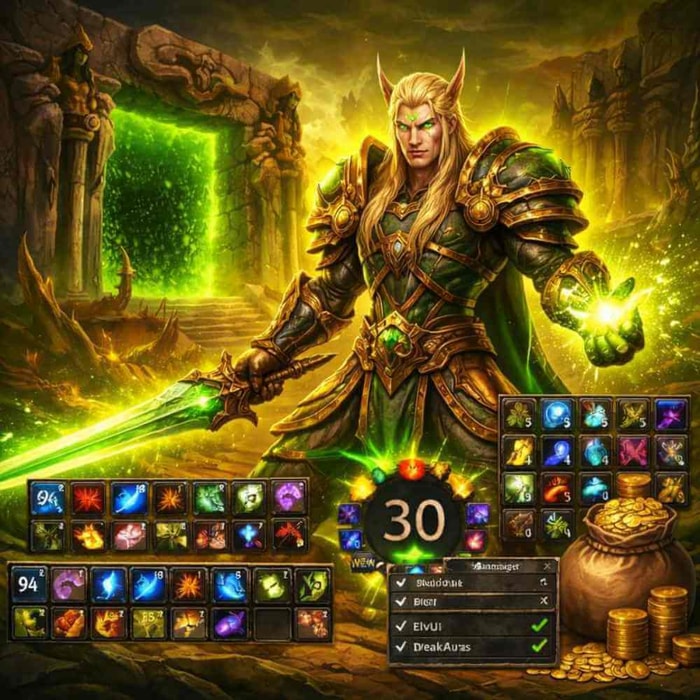
1. Why Addons Matter in TBC Classic Anniversary
Addons are essential for many players, as they significantly improve the user interface, streamline gameplay, and help track key mechanics. In the TBC Pre-Patch, addons serve an even more critical role due to the complexity of new mechanics and game systems introduced. Whether it’s tracking cooldowns, monitoring boss fight mechanics, or customizing UI elements like action bars, addons provide an indispensable toolkit for players to stay competitive and organized.
Addons and Compatibility in TBC Pre-Patch
With the Pre-Patch being a separate TBC client, Classic-era addons won’t automatically work in the new TBC environment. This can cause confusion, especially when trying to access previously used addons, as they need to be manually installed and updated to match the new client.
The official TBC client has differences in its UI system and game mechanics compared to Classic, so some addons may not work properly unless updated. However, the good news is that most major addon authors are quick to update their mods for TBC, and many players have already started discussing workarounds and fixes on platforms like CurseForge and WoWUp.
2. Installing and Setting Up Addons for TBC Classic
Setting up addons for TBC Classic (both Pre-Patch and the official version) is a relatively simple process, but there are a few key steps that players should follow to ensure proper installation.
Step 1: Find the Right Addons Folder 3
Since TBC Pre-Patch creates a separate client installation, your addons for the Classic client won’t automatically transfer over. You need to install addons specifically for TBC.
For Windows Users:
Navigate to the World of Warcraft folder where TBC is installed. This is usually located at:
C:\Program Files (x86)\World of Warcraft\_classic_
Inside, look for the Interface folder, then the AddOns folder. This is where your TBC addons should go.
For Mac Users:
Go to the Applications folder, find World of Warcraft, and navigate to the Interface and AddOns folder under the TBC client.
Step 2: Installing Addons
Using CurseForge or WoWUp:
The easiest way to install TBC-compatible addons is through platforms like CurseForge or WoWUp. Both allow you to search for, install, and automatically update your addons.
Manual Installation:
Alternatively, if you have addon files from a previous version or from other sources, you can manually copy them into the AddOns folder inside your TBC client.
Step 3: Ensure Addons Are Updated
After installing the addons, it’s crucial to ensure you have the latest versions to ensure compatibility with the TBC Pre-Patch. Some popular addons may not work unless updated to reflect changes in the TBC client.
Always check for addon updates via CurseForge, WoWUp, or the respective addon’s official page.
If an addon doesn’t show up or is broken, make sure it’s the latest version and that you’ve placed it in the correct folder.
3. Essential Addons for TBC Classic Anniversary
Whether you’re playing the Pre-Patch or the official TBC launch, the following addons are crucial to optimizing your gameplay experience:
1. ElvUI
ElvUI is an all-in-one UI overhaul that allows players to customize almost every aspect of their interface. From unit frames and action bars to buffs and debuffs, ElvUI provides complete control over your UI elements.
Why You Need It:
ElvUI is perfect for players who want to create a clean, streamlined UI that suits their personal playstyle. It’s incredibly versatile, making it one of the most popular UI mods in WoW.
2. Deadly Boss Mods (DBM)
DBM is a must-have addon for raiding and boss encounters. It provides real-time alerts and timers, making sure you’re aware of boss abilities, mechanics, and timers.
Why You Need It:
In TBC, boss mechanics can be intricate and fast-paced. DBM ensures you never miss a key mechanic during high-pressure fights, especially in raids and dungeons.
3. WeakAuras 2
WeakAuras 2 is the go-to addon for tracking cooldowns, buffs, and debuffs in real-time. It offers customizable visual and audio alerts for virtually any in-game event you want to track.
Why You Need It:
Whether you need to track your own abilities, or the status of raid buffs/debuffs, WeakAuras is essential for managing complex rotations in both the Pre-Patch and official launch phases of TBC.
4. Bartender
Bartender allows you to completely customize your action bars, giving you full control over their size, position, and visibility.
Why You Need It:
In TBC, action bar management is essential for efficient gameplay. Bartender gives you flexibility in designing the most efficient layout for your skills and abilities, especially in PvP or raids.
5. Tidy Plates
Tidy Plates is a nameplate modification addon that improves the visibility of enemy nameplates during combat, showing health bars, aggro, and other important info in real-time.
Why You Need It:
In TBC, boss fights and PvP encounters require quick reactions. Tidy Plates gives you an enhanced view of the battlefield, allowing you to track enemy health and other critical data with ease.

4. Common Addon Issues and How to Fix Them
After setting up your addons, you might encounter a few issues. Here’s how to solve some of the most common addon problems in both the Pre-Patch and official launch:
1. Addons Not Showing Up
Ensure that your addons are placed in the correct folder inside the TBC client directory. Also, check that the addon is updated to the latest version.
2. Lua Errors or Addon Crashes
Sometimes, addons may cause Lua errors or crash during gameplay. To fix this, try the following:
Update the addon to the latest version.
If an addon is outdated or incompatible with TBC, check for alternatives or use WoWUp to help find compatible versions.
3. Performance Issues
Certain UI-heavy addons like ElvUI or TidyPlates can cause lag if not optimized. Make sure to:
Disable unnecessary features within the addon settings.
Use lighter UI alternatives if performance is a concern.
5. Keeping Your Addons Updated for the Official Launch
When TBC officially launches, Blizzard may introduce patches that can affect how certain addons function. Here are some tips for ensuring your addons remain in tip-top shape:
1. Regularly Check for Updates
CurseForge and WoWUp are great platforms to stay on top of addon updates. Ensure you’re always using the latest versions to avoid compatibility issues after patches.
2. Watch for Patch Notes
Follow official Blizzard patch notes and addon changelogs to understand any new systems that may affect your UI or gameplay. Some addons may require tweaks or new features to fully support the latest content.
3. Backup Your Addon Settings
As the official expansion rolls out, there may be significant changes to game mechanics or interface elements. Always back up your addon settings in case you need to restore them after major updates.
For players who want to save time and focus on endgame content, fast TBC Classic Anniversary boosting can be a practical option, especially during the early stages of the expansion when leveling, dungeon access, and reputation progress can feel slow.
6. Conclusion: Optimizing Your TBC Classic Experience
Whether you’re diving into the TBC Pre-Patch or preparing for the official launch, addons are a crucial part of your WoW experience. They enhance your gameplay, streamline your UI, and ensure you’re always ahead of the curve in raids, PvP, and general gameplay.
By following the steps in this guide, you’ll have all your essential addons installed, running smoothly, and fully compatible with TBC. As the game evolves, continue checking for updates, and stay ahead of any new changes to make your TBC experience as seamless and enjoyable as possible.
Good luck in the TBC Classic Anniversary Pre-Patch and beyond—may your adventures be smooth and your UI be even smoother!