WoW TBC Nameplates update changes how players see threats, casts, and combat information during gameplay. While the new default system improves visibility and customization, it also causes compatibility issues for popular addons like Plater and Threat Plates.
For players preparing for Phase 3 raids such as Black Temple and Hyjal Summit, nameplates are more important than ever. Tanks need clearer threat information, DPS players need faster target recognition, and everyone needs reliable cast visibility during complex encounters.
This guide explains what changed, why some addons are breaking, how to fix common issues, the best nameplate settings for different roles, and whether addons like Plater are still necessary in Phase 3.
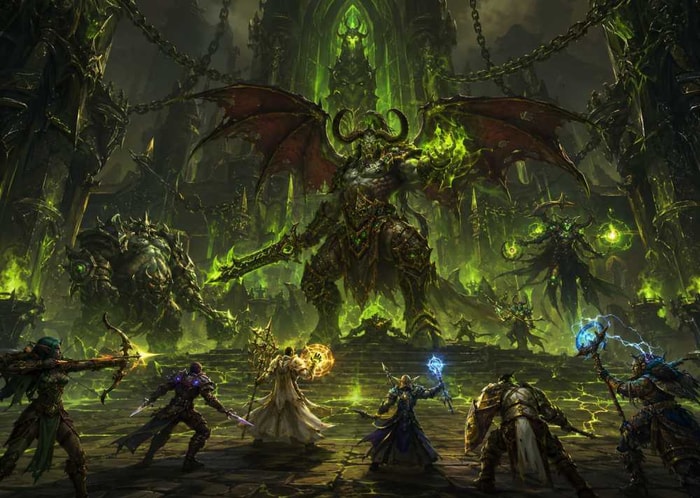
What Changed With TBC Nameplates?
The updated nameplate system improves the default Blizzard UI with several new options designed to make combat information easier to read.
Improved Threat Indicators
Enemy nameplates now provide clearer threat information:
Green — stable threat
Yellow — unstable threat
Red — losing threat
This is especially useful for tanks during encounters with multiple enemies, such as Hyjal Summit trash waves, where quickly identifying threat problems can prevent wipes.
Better Cast Bar Visibility
The updated cast bars are:
Larger
Easier to read
More visible during combat
Better positioned on screen
For raid encounters, this helps players react faster to important mechanics, especially when interrupting dangerous abilities or switching targets.
More Nameplate Customization Options
Players now have more control over the default UI, including:
Nameplate size
Nameplate spacing
Overlap behavior
Enemy cast bar visibility
Display distance settings
Text readability
These changes allow the default interface to provide a cleaner experience without requiring as many third-party addons.
What Does the New System Actually Improve?
The biggest difference is not just appearance — it is combat awareness.
Better Target Visibility
The updated nameplates make it easier to:
Identify priority targets
Track enemy health
Notice dangerous casts
Avoid clicking the wrong target in crowded fights
This matters especially in raid environments where many enemies appear on screen at the same time.
Easier Combat Information Tracking
The improved default UI helps players recognize:
Who is attacking them
Which enemies are casting
Which targets need attention first
For newer players, this reduces dependence on complicated addon setups.
However, experienced raiders who need advanced filtering, custom auras, or highly specific layouts may still prefer addons.
Why Are Plater and Threat Plates Breaking?
After the update, many players reported issues with popular nameplate addons, including:
Black boxes appearing on nameplates
Missing aura displays
Incorrect cast bar positions
UI errors
Performance problems
The reason is not that Blizzard removed addon support.
The update changed parts of the nameplate system that addons rely on, including how certain visual elements and combat information are displayed. As a result, addons that heavily modify nameplates need updates to work correctly with the new system.
Other Addons May Also Be Affected
Some players have reported compatibility problems with other UI-related addons, including:
WeakAura configurations
Other combat interface tools
This suggests the issue is mainly addon compatibility rather than a permanent restriction on addons.
Are Addons Dead?
No.
Blizzard has not announced plans to remove addon support.
The more realistic outcome is:
Plater and Threat Plates will receive compatibility updates
Default nameplates will become more powerful
Players will choose between simplicity and advanced customization
The addon ecosystem is adapting rather than disappearing.
How to Fix Plater, Threat Plates, and Nameplate Issues?
If your UI is broken after the update, try these solutions.
Update Your Addons
Always install the latest versions from trusted addon platforms:
CurseForge
Wago
GitHub beta releases
Many early problems are fixed quickly after addon authors release updates.
Enable Out-of-Date Addons
Some addons may still work even if they are marked outdated.
Enable:
Load out-of-date Addons
from the addon menu.
Temporarily Disable Nameplate Addons
If Plater or Threat Plates cause:
Black textures
Missing elements
Errors
Try disabling the addon temporarily and using the new default Blizzard nameplates.
Reload Your Interface
Use:
/reload
This can fix temporary UI rendering problems.
Reset Addon Settings If Necessary
If problems continue:
Backup your addon settings
Remove the related SavedVariables files
Restart the game
Configure the addon again
Corrupted settings from previous versions can cause unexpected issues.
Best Nameplate Settings for Phase 3 Players
The best settings depend on your role and the content you play.
Beyond optimizing your UI, having enough gold for repairs, consumables, and enchants is essential for Phase 3, and some players choose to buy TBC Anniversary gold to spend more time preparing for raids.
Tank Settings
Recommended:
Enable threat coloring
Enable enemy cast bars
Increase nameplate size
Use stacking nameplates
Keep enough spacing between enemies
Why:
Hyjal Summit features large enemy groups where tanks must quickly identify threat problems and react before mobs reach other players.
Healer Settings
Recommended:
Enable friendly nameplates when needed
Increase important debuff visibility
Reduce unnecessary visual clutter
Keep nameplates easy to identify
Why:
Clear information helps healers notice important effects and react faster during raid mechanics.
DPS Settings
Recommended:
Enable enemy cast bars
Increase priority target visibility
Avoid excessive nameplate overlap
Keep important information visible without blocking your screen
Why:
DPS players benefit from quickly identifying interrupt targets and priority enemies.
PvP Settings
Recommended:
Enable class-based health colors
Increase enemy cast visibility
Reduce unnecessary fading
Keep enemy information easy to track
Why:
Arena and battleground players rely heavily on fast reactions and enemy ability tracking.
How Nameplates Help in Phase 3 Raids?
Hyjal Summit
The improved default system can help with:
Large trash waves
Faster threat recognition
Cleaner target selection
Better interrupt visibility
For tanks, especially, clearer nameplates can reduce confusion when managing multiple enemies.
Black Temple
In Black Temple, players benefit from:
Easier cast tracking
Better target switching
Improved visibility in darker environments
Encounters with important interrupts, target swaps, or dangerous abilities become easier to manage with properly configured nameplates. For players still preparing their characters for Phase 3 content, improving raid readiness is often more important than simply entering Black Temple or Hyjal Summit early. Some players choose WoW TBC boosting services to speed up leveling, gearing, or progression preparation before joining more advanced raid groups.
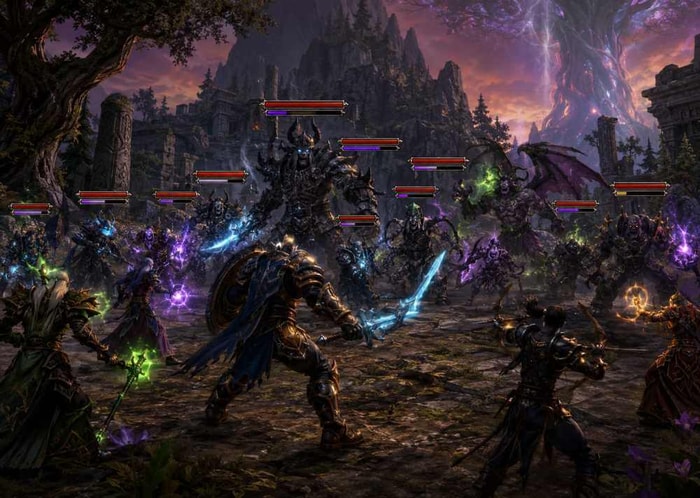
Community Reaction: What Players Think So Far
The reaction has been mixed.
Positive Feedback
Many players appreciate:
Better default cast bars
Cleaner combat information
Less dependence on multiple addons
Some casual and returning players find the updated interface much easier to understand.
Negative Feedback
Players who rely heavily on customization have reported:
Broken Plater profiles
Missing aura information
UI adjustments are being reset
For advanced raiders, addon flexibility remains difficult to replace.
The Overall Situation
The update improves the default experience, but addon users still have strong reasons to continue using tools like Plater and Threat Plates.
Are Plater and Threat Plates Still Worth Using in Phase 3?
Yes — especially for experienced raiders.
The new Blizzard nameplates are much better than before, but addons still offer advantages:
Default Nameplates
Advantages:
Simple setup
Stable performance
No compatibility issues
Good enough for many players
Plater / Threat Plates
Advantages:
More customization
Advanced filtering
Better aura control
Personalized raid setups
More detailed combat information
For casual players, the default system may be enough.
For tanks, PvP players, and progression raiders preparing for Black Temple and Hyjal, addons will likely remain valuable.
Final Verdict:
The TBC Anniversary Nameplates update improves the default UI with clearer threat tracking, better cast visibility, and more customization options. While some addons need updates, tools like Plater and Threat Plates are not disappearing. Players can choose between the improved default system or advanced addon setups based on their playstyle and Phase 3 raid needs.